Tap a shortcut or type and press Enter. Nothing leaves this demo.
example.page
LOCAL DEMO PAGE
Welcome
From a shortcut to a page, in one tap.
This sample stays on the website. No real page is loaded and no search is sent.
Tabs
Sample shortcuts, not your saved sites.
Android-source theme preview · not an app screenshot Native behavior may differ.
Features
Private by design. Fast by default.
Ad Shield
Browser-request filtering for known ad and tracker hosts, with per-site controls. Anti-redirect and hostile-chain upgrades are coming soon.
No account, no cloud sync
No RABEX account and no RABEX cloud sync. Bookmarks, history and notes stay on your phone. Use Incognito for private browsing.
Speed Dial home
Your favorite sites one tap away, with icons fetched automatically.
More inside the app
More tools, built in.
What else is in the app, and the limits that come with it.
Feature illustration
9:41
ListGridCompact
3:12
1:08
12:40
0:45
5:21
2:09
9:41
EqualizerSleep Timer★ Favorites
Play.
Your music and videos, in the browser you already have open.
EqualizerSleep TimerList / Grid / Compact
Music inside the browserPlay the audio files on your phone, right inside RABEX.
Limits
A local player for your own files: a queue you shape with Play Next and Play Last, an Equalizer and Sleep Timer in the player menu, Favorites, a play History sheet and scrolling track titles. Music keeps playing when you go Home. It plays files stored on your phone - it is not a streaming service.
Video player and library viewsWatch your videos with List, Grid and Compact library views.
Limits
Play, seek, volume, speed, lock, fullscreen and picture-in-picture. Your chosen view mode is remembered. Picture-in-picture depends on your device and Android System WebView version.
Feature illustration
9:41
QR Code Generator
Scan, create or make a UPI code
ScanCreateUPI
9:41
Total speed •••
Wi-Fi only
Charging only
5G
GO
Save.
Downloads you can steer, and a link flow for video.
Wi-Fi only · Charging · 5GSpeed testQR codes
Downloads with real controlMulti-thread downloads, per-download network rules and filenames that make sense.
Limits
Pause, resume, queue and prioritize, with a Total Speed strip while downloads run. Set each download to Wi-Fi only, mobile data only, only while charging, or a 5G preference (needs Android 10+ and phone-state permission; when the network type is unclear, the download waits). Filenames come from the server instead of guesses. Resume depends on the server.
Speed test and data useStart a speed test when you want one, and keep an eye on data use.
Limits
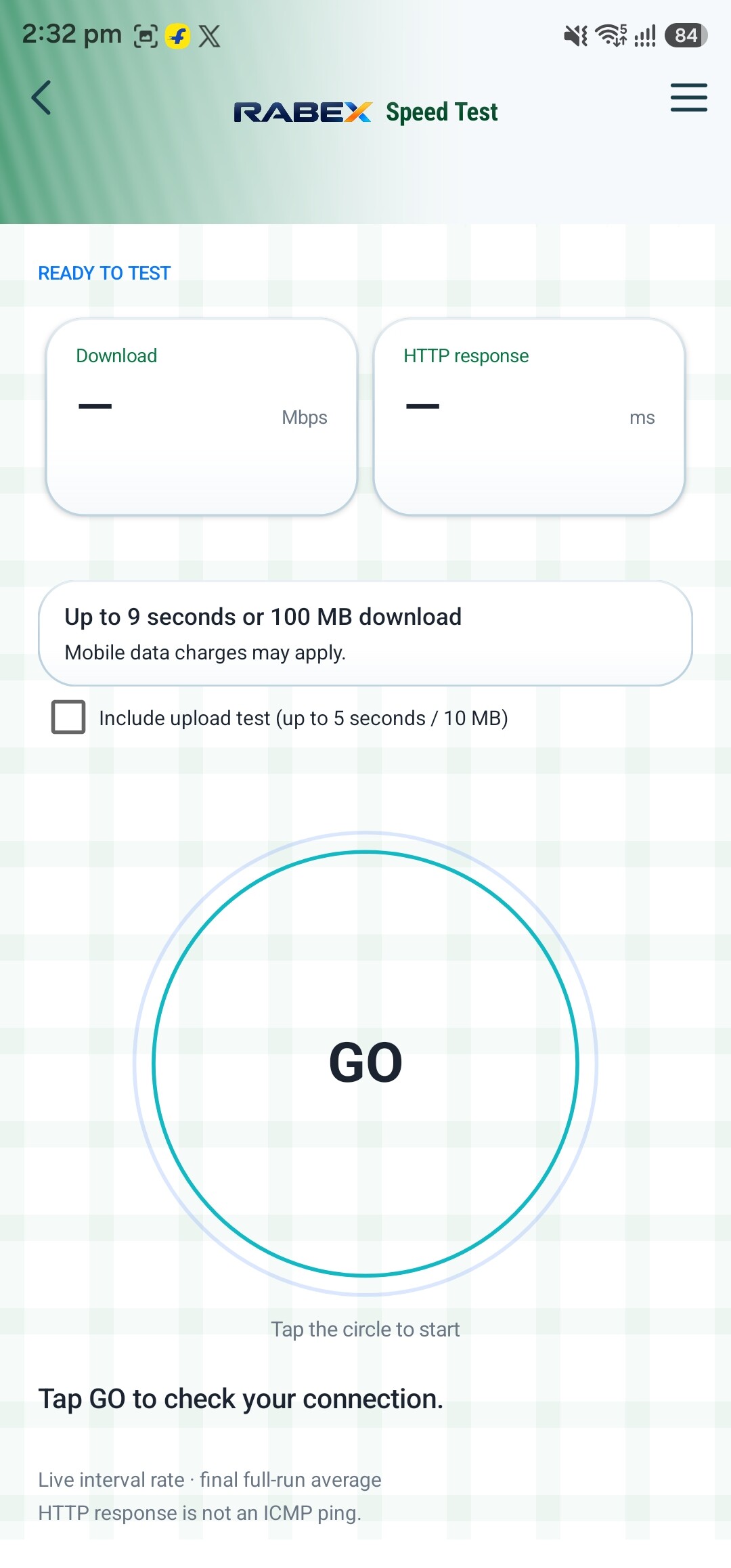
Tap GO for a download-speed estimate. RABEX runs a counted download of up to 100 MB or about 9 seconds, whichever comes first, and shows the result. The counted bytes cover the test download only: connection probes, headers and other network overhead come on top of that, so treat the numbers as an estimate, not your carrier's bill. The result is calculated on your phone and is not uploaded; Cloudflare receives your IP address and the test requests. Data counters estimate the data the app has used.
Feature illustration
9:41
Rabex Vault
••••••••••••
Strength hint
Generate password
9:41
example.comSAFE
Connection safety labels
SAFECAUTIONDANGEROUSUNKNOWN
Privacy
Incognito tabs›
Online suggestions
Incognito
Protect.
Private tabs, honest safety labels, and a vault that stays on your phone.
Privacy you controlSeparate Incognito storage, a switch for online suggestions and connection safety labels.
Limits
On supported Android System WebView versions, Incognito tabs keep cookies and site storage apart from normal tabs. Incognito is private, not anonymous. Switching online typing suggestions off stops new requests (a request already sent may still finish); they are always off in Incognito. Connection safety labels - SAFE, CAUTION, DANGEROUS or UNKNOWN - explain the certificate and redirect evidence for the current page's connection. They are not a reputation or malware verdict. Normal screens allow screenshots; explicitly private and sensitive surfaces keep their screenshot protection. Crash records stay on your phone: at most five small records, pruned after 30 days.
Password tools in the VaultGenerate strong passwords inside Rabex Vault.
Limits
In the unlocked vault you can generate a random 20-character password and see a local strength hint and a count of reused logins. It all happens on your phone: it does not change your passwords on websites and it does not check for breaches.
Feature illustration
9:41
Search settings
A new version is available
LaterUpdate
9:41
Page menu
Reader mode›
Translate›
Read aloud›
Save as PDF›
Auto-scroll›
Desktop site›
Everyday.
Small tools that remove small annoyances.
Reader modeSettings searchUpdate or Later
Page and Settings toolsReader mode, Translate, Read aloud, Save as PDF, Desktop site and Settings search.
Limits
From the page menu: Reader mode for a cleaner read when the page allows it, Google Translate, Read aloud, Save as PDF and Auto-scroll, with ON/OFF state shown. Desktop site asks sites for a desktop layout; some sites ignore the request. Translate sends the page address to Google, and Read aloud may use a network service. The search bar inside Settings finds a setting without digging.
Shortcuts and site settingsRename your shortcuts, pin them to your launcher, and tune each site.
Limits
Pinned shortcuts are browser shortcuts, not separate apps, and a private tab cannot be captured into one. Site settings groups each site's controls with icons and switches.
Updates on your termsHear about new versions, then choose whether to download and install.
Limits
Check yourself, or let RABEX check while the app is open - checks adapt to your battery and network instead of a fixed timer. Every notice offers Update or Later. Before Android's install screen opens, RABEX verifies the file's size, SHA-256 and compatibility with your installed app. Nothing downloads or installs on its own, and your installed app is never uninstalled. An interrupted download keeps its saved bytes so it can resume.
Screens are illustrations of the features, not screenshots of the app. RABEX is free. Features can vary by device and Android System WebView version.
40-second tour
See RABEX at work
A short animated preview of Speed Dial, Tabs, Reader mode, the Video player, the Download Manager and Privacy. It is an animation, not a phone capture.
Network-level blocking cuts off known ad and tracker hosts at the source.
Leftover clutter hidden
Cosmetic filtering hides the empty ad boxes that blockers leave behind.
No account, no cloud sync
No RABEX account and no RABEX cloud sync. Bookmarks, history and notes stay on your phone. Use Incognito for private browsing.
Incognito and Private Space
Browse privately in Incognito. Private Space is PIN-protected, with fingerprint unlock on supported devices.
Anti-redirect protection Coming soon
Part of the Advanced Ad Shield upgrades. In the works, not shipped yet.
Reader mode
Strip a page down to the words for calmer, cleaner reading.
Privacy tools
Manage cookies, run Guardian and audit site permissions from Settings.
Rabex Vault
PIN-protected private notes, kept behind your PIN.
Interactive demos
See it in action.
Live web demos you can tap, type and switch. Data is simulated and this is a website recreation, not the Android app itself.
‹Download Manager
0.0 MB/sTotal Speed
DownloadFilesPrivate
All (2)Active (2)Done (0)
500MB-CZIPtestfile.org.zip0 MB / 500.0 MB
0%
8 ThreadsPauseCancel
testfile.org-5GB.dat0 MB / 4.66 GB
0%
7 ThreadsPauseCancel
Downloads that move
Total Speed strip, multi-thread progress, Pause and Cancel. Find it in the menu under Downloads.
google.com
⋮
Example
Reader mode
google.com
ForwardFind in pageReader modeTranslateDesktop siteOFFSite settingsSave as PDFShareCopy linkAdd to homeBookmarkOpen in appSave offlineRead aloudOFFAuto-scrollOFFNotes
Page options, one tap
Tap the menu on any page for Reader mode, Translate, Save offline, Read aloud and more.
‹Download Manager
0 B/sTotal Speed
DownloadFilesPrivate
Private SpaceProtect your videos and your bookmarkENTER
Private Space
Open Downloads, tap the Private tab, press Enter.
news.example
⛟
Blocked 0demo
ADBig banner
Article
tracker-1tracker-2tracker-3
ADSponsored
ADPromo
Clean page
Ad Shield at work
Ads and tracker hosts are blocked before they load, and empty ad boxes are hidden. Counts are illustrative.
google.com
3
Google
Speed Dial
Example
Tabs in depth
See every tab at a glance, tap one and it opens full screen.
RABEX
→
Search, one smooth move
Tap the search bar, type, and go. No page flicker.
‹sample_video.mp4
⏮⏭
0:00
0:16
Lock1xPiP
Video player
Play, seek, volume, speed, lock, fullscreen and picture-in-picture where your browser supports them. Placeholder clip.
LIVE WEB DEMOS: the interactions are real website code. Files, speeds, counters and results are simulated demo data. The real app runs on Android.
Real app screens
Inside the app.
Real screens captured from the current Android build, placed in the same phone model as the demos above. On some screens, personal entries are replaced with clearly-named samples. Card motion (row highlights, auto-scroll, breathing) is a website illustration, not app behavior.
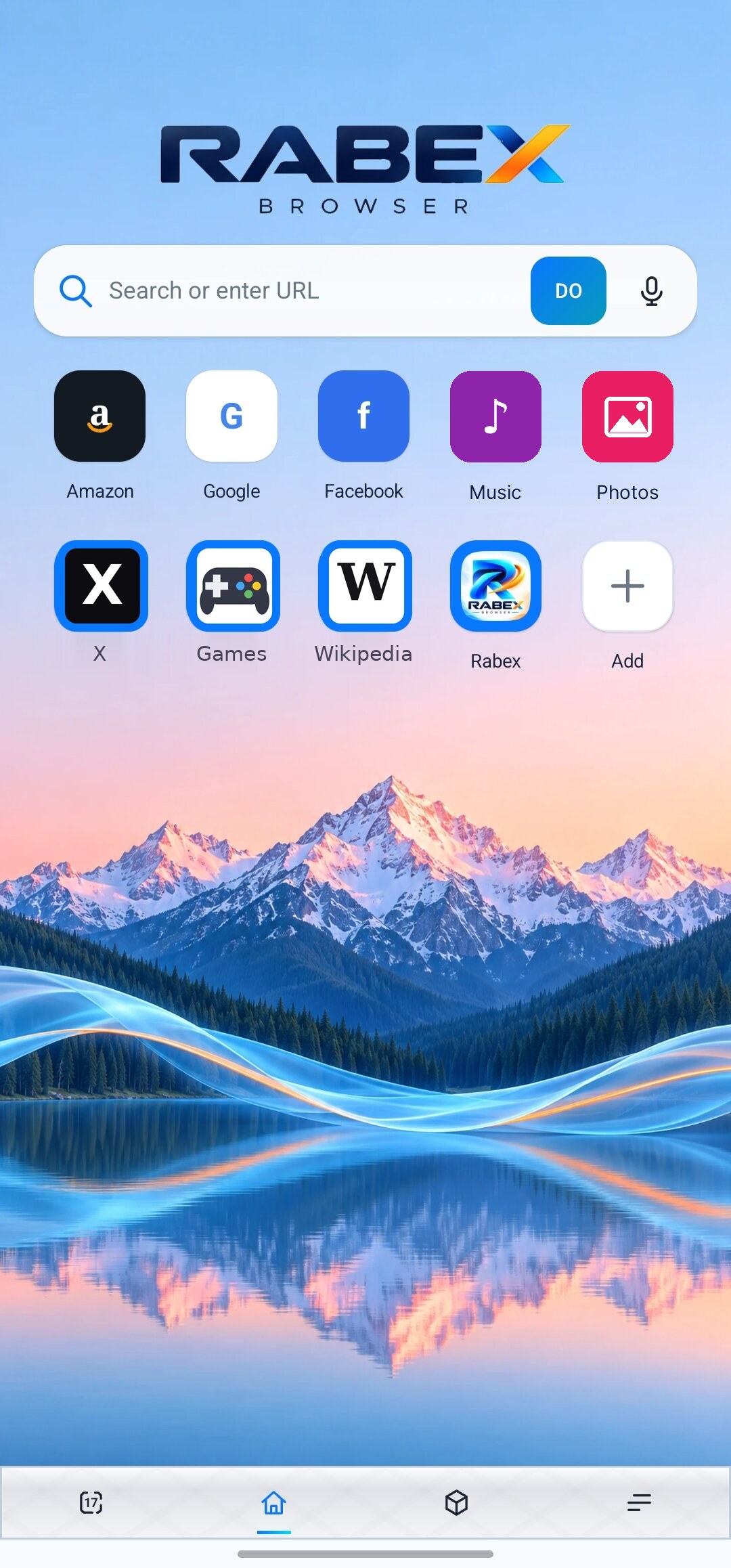
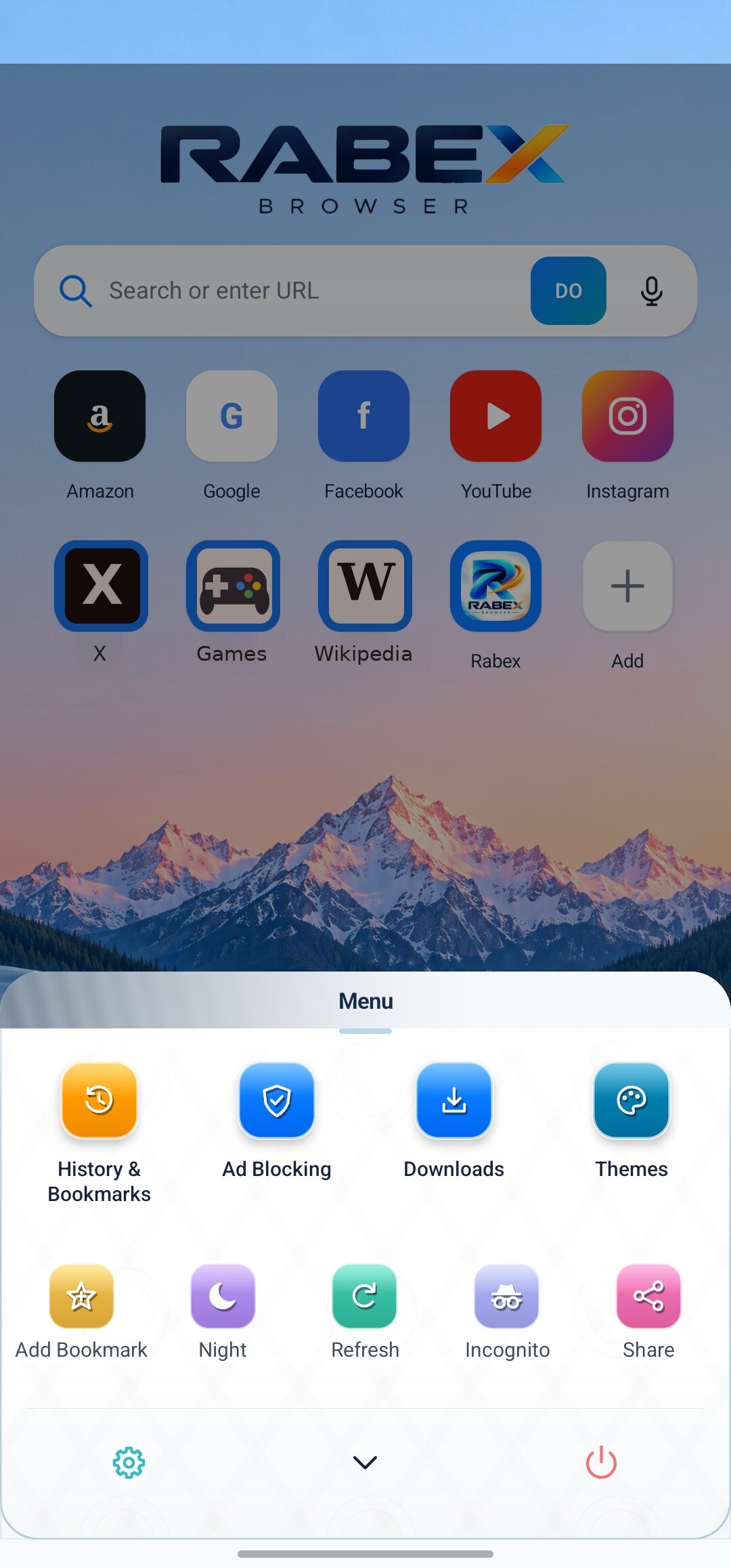
01 · Home
Home, arranged your way.
Speed-dial tiles you add and arrange
Search with voice input on the same bar
Your own wallpaper behind everything
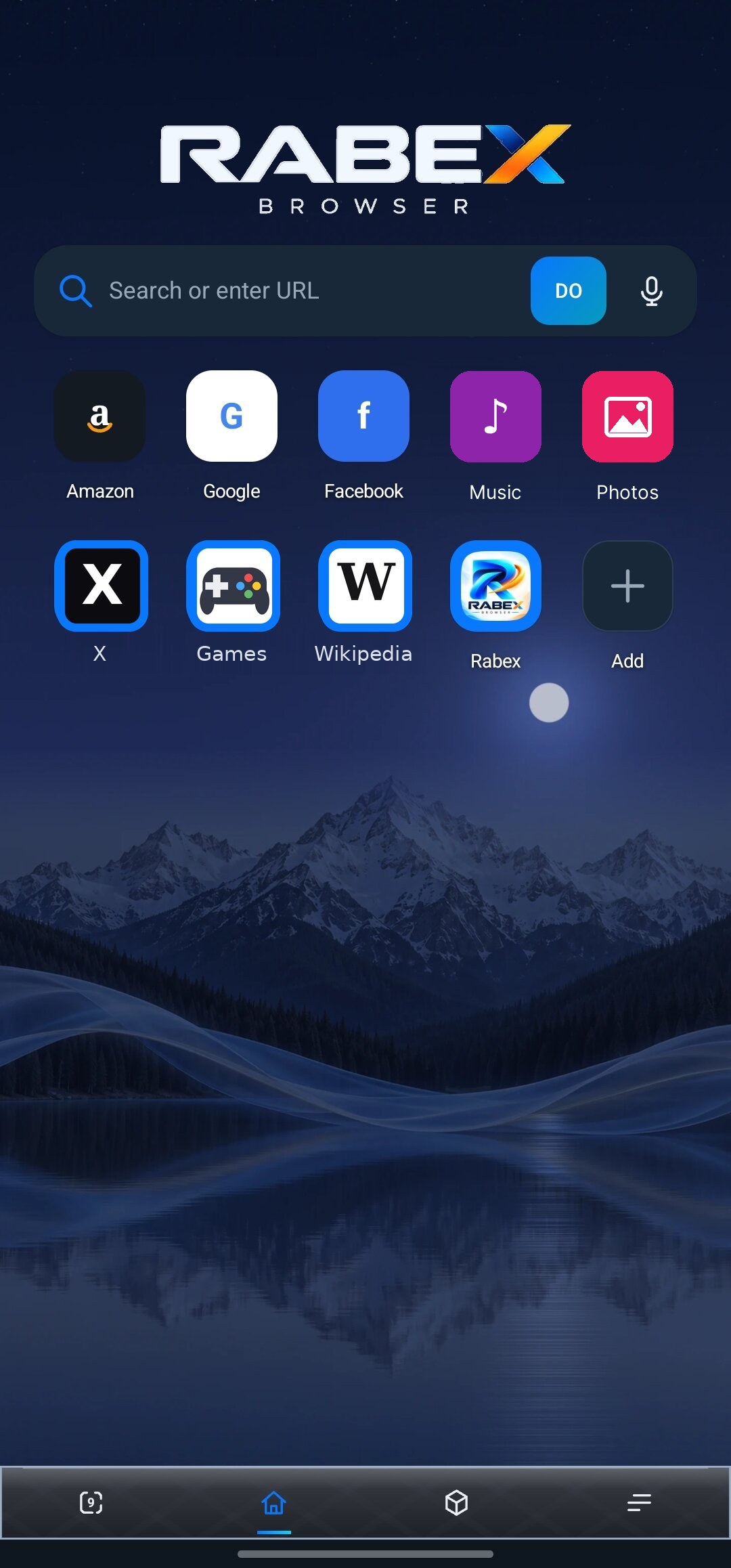
02 · Home at night
The same Home after dark.
Same layout, dimmed for night
Tiles and search stay where you left them
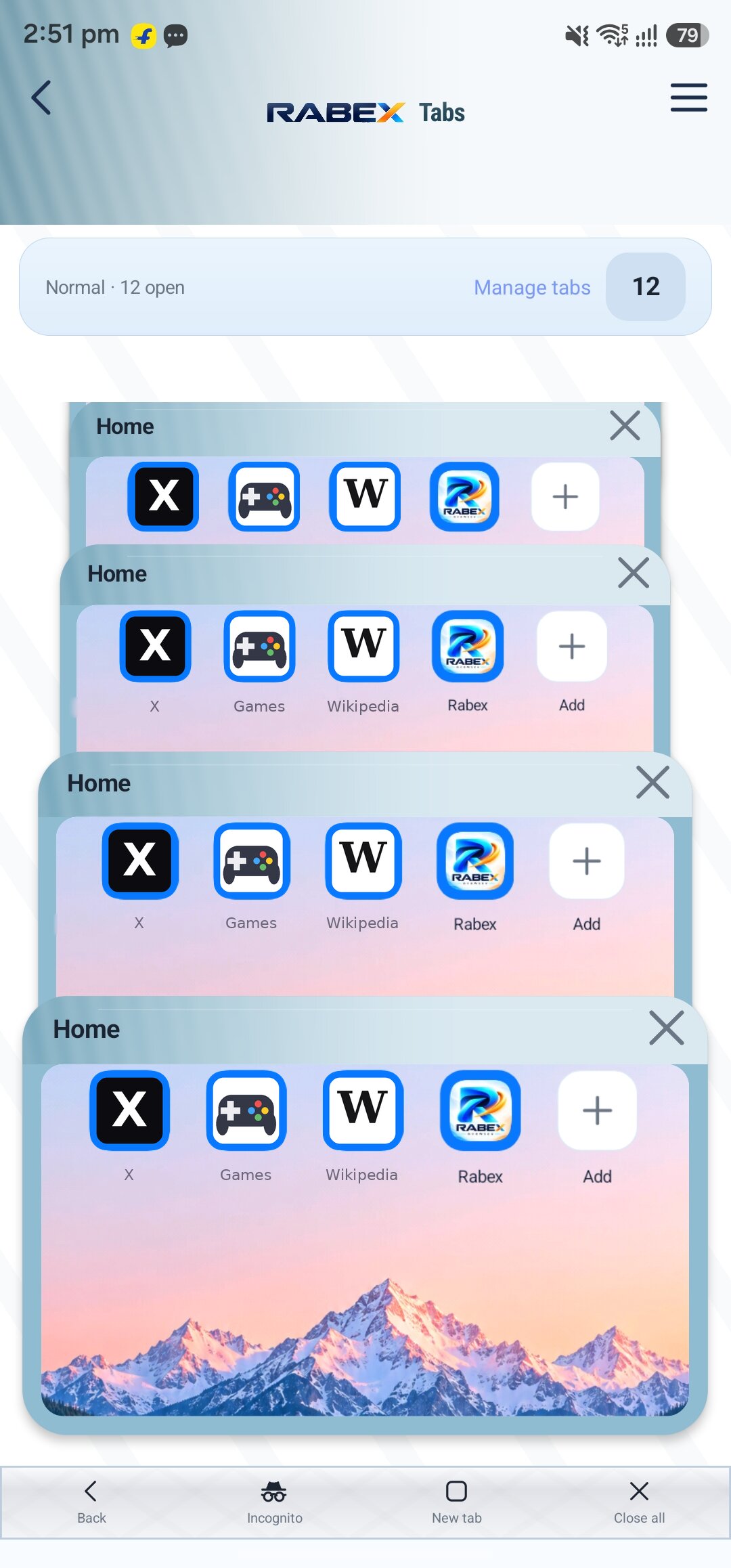
03 · Tabs
Every tab at a glance.
Live thumbnails of your open pages
Switch, close or open a new tab from one sheet
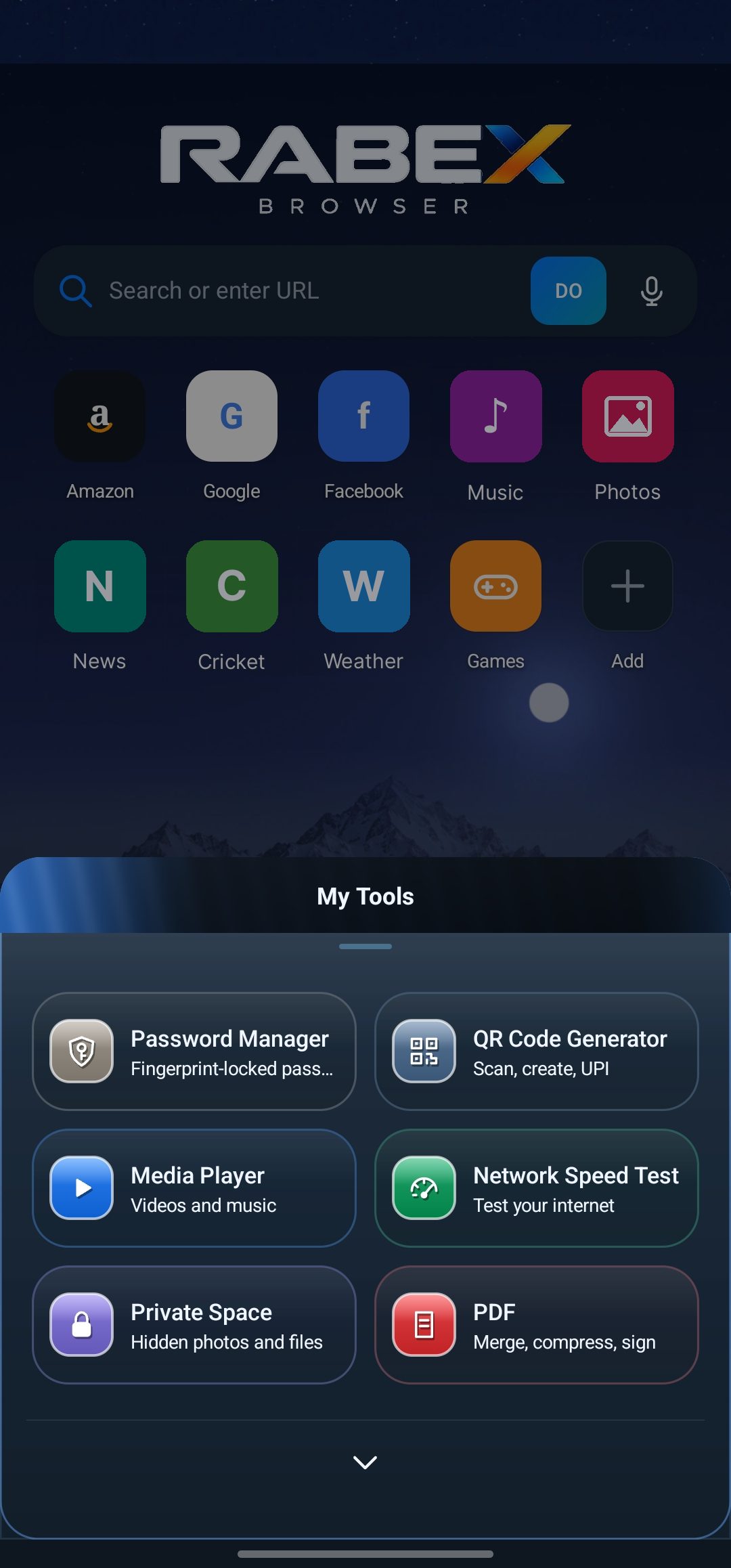
04 · My Tools
Built-in tools, one tap from Home.
A sheet of tools over your Home screen
Password Manager, QR Code Generator, Media Player, Network Speed Test, Private Space and PDF
05 · Menu
Everything else lives in the menu.
Downloads, Bookmarks, History and Settings in one list
Page options and tools a tap away
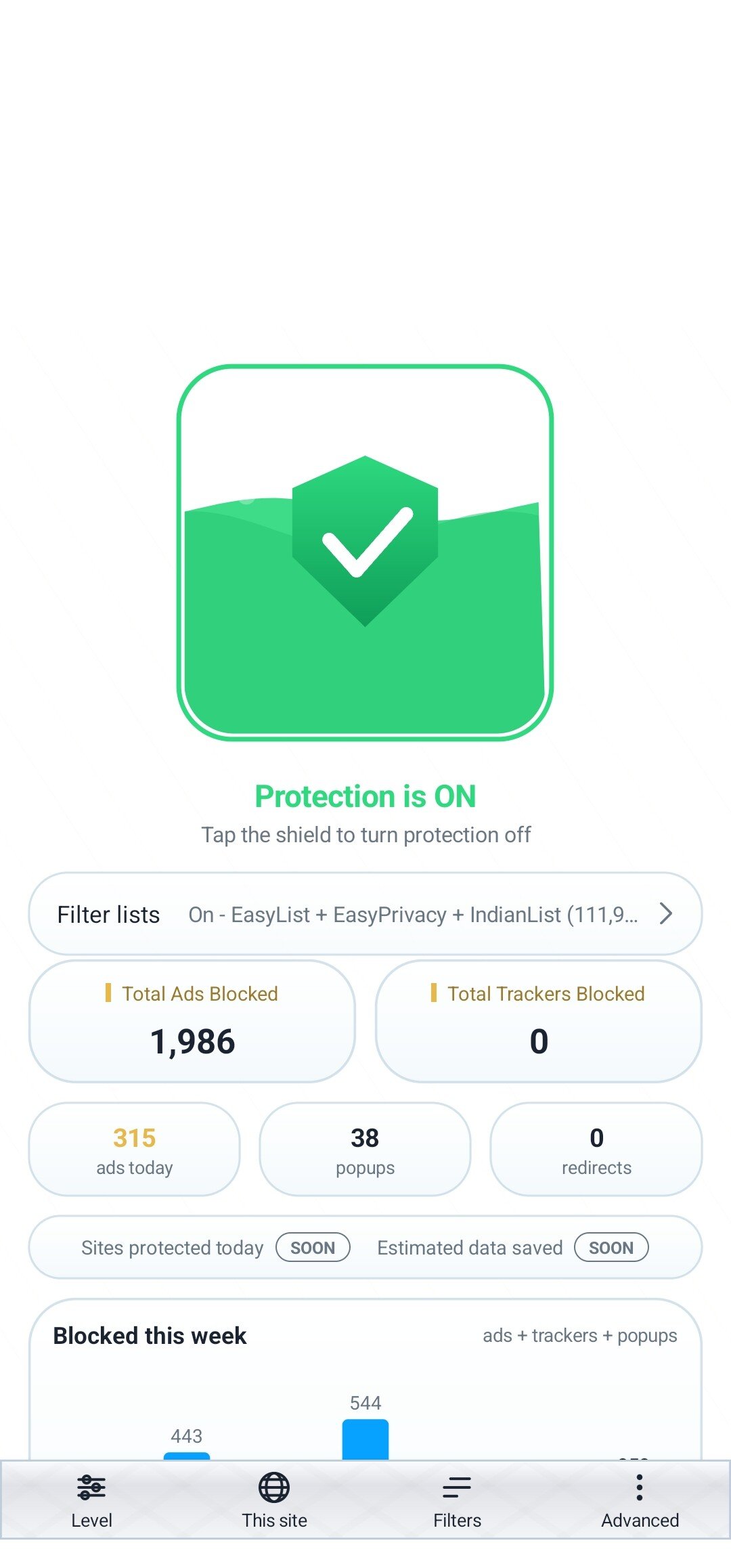
06 · Ad Shield
Ad Shield, counted on screen.
Blocked counts and a weekly chart you can check
Per-site controls along the bottom
07 · Speed Test
A speed test, built in.
One tap on GO starts the test
Data use is stated up front, before you start
08 · Download Manager
Downloads that keep you posted.
Total Speed strip across the top
Per-file progress with Pause and Cancel on every row
Sample files shown here, not real downloads
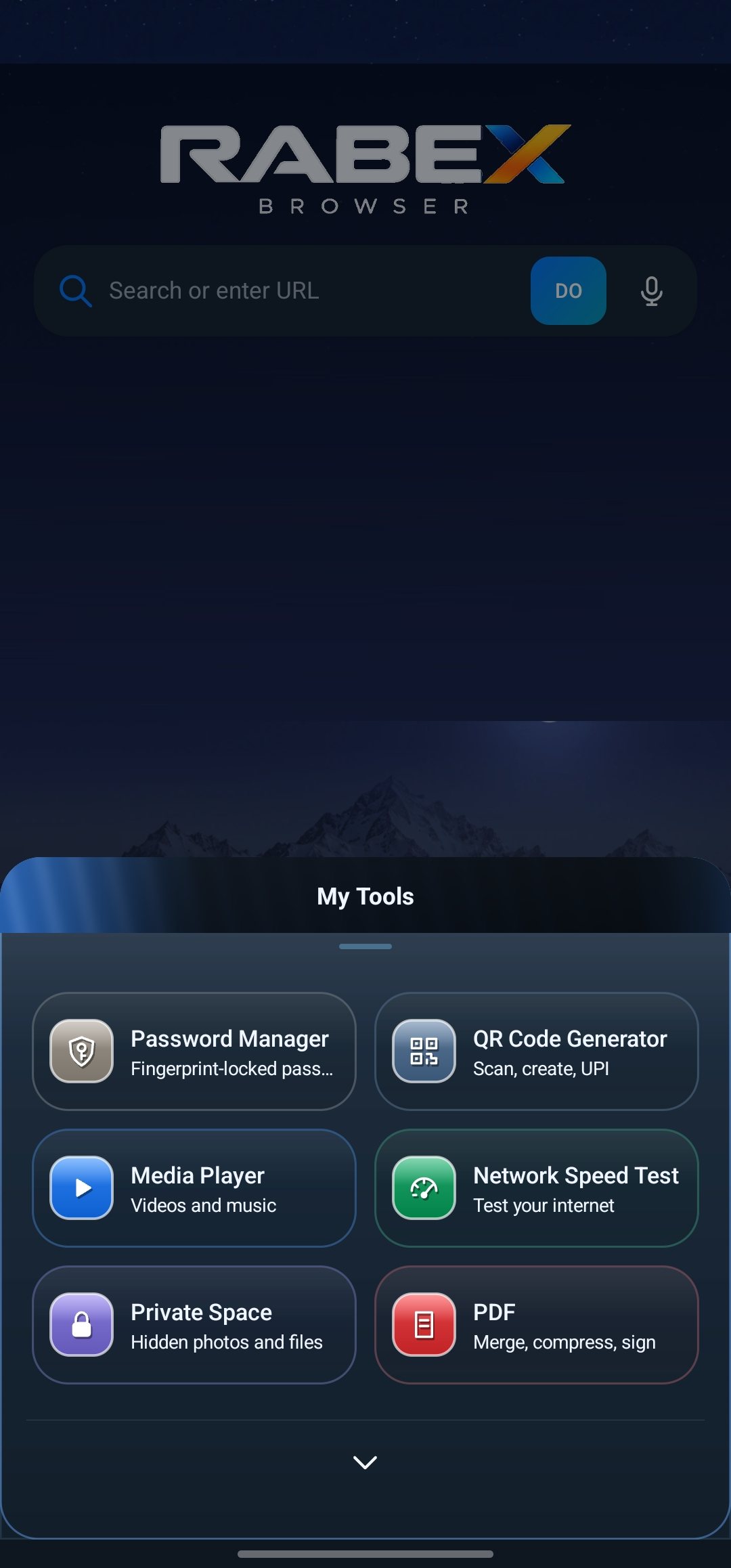
09 · Home and My Tools
Your Home, with My Tools open.
Search or type a web address, or use voice
Shortcut tiles you choose, and Ad Shield on top
Six tools a tap away: Password Manager, QR Code Generator, Media Player, Network Speed Test, Private Space and PDF
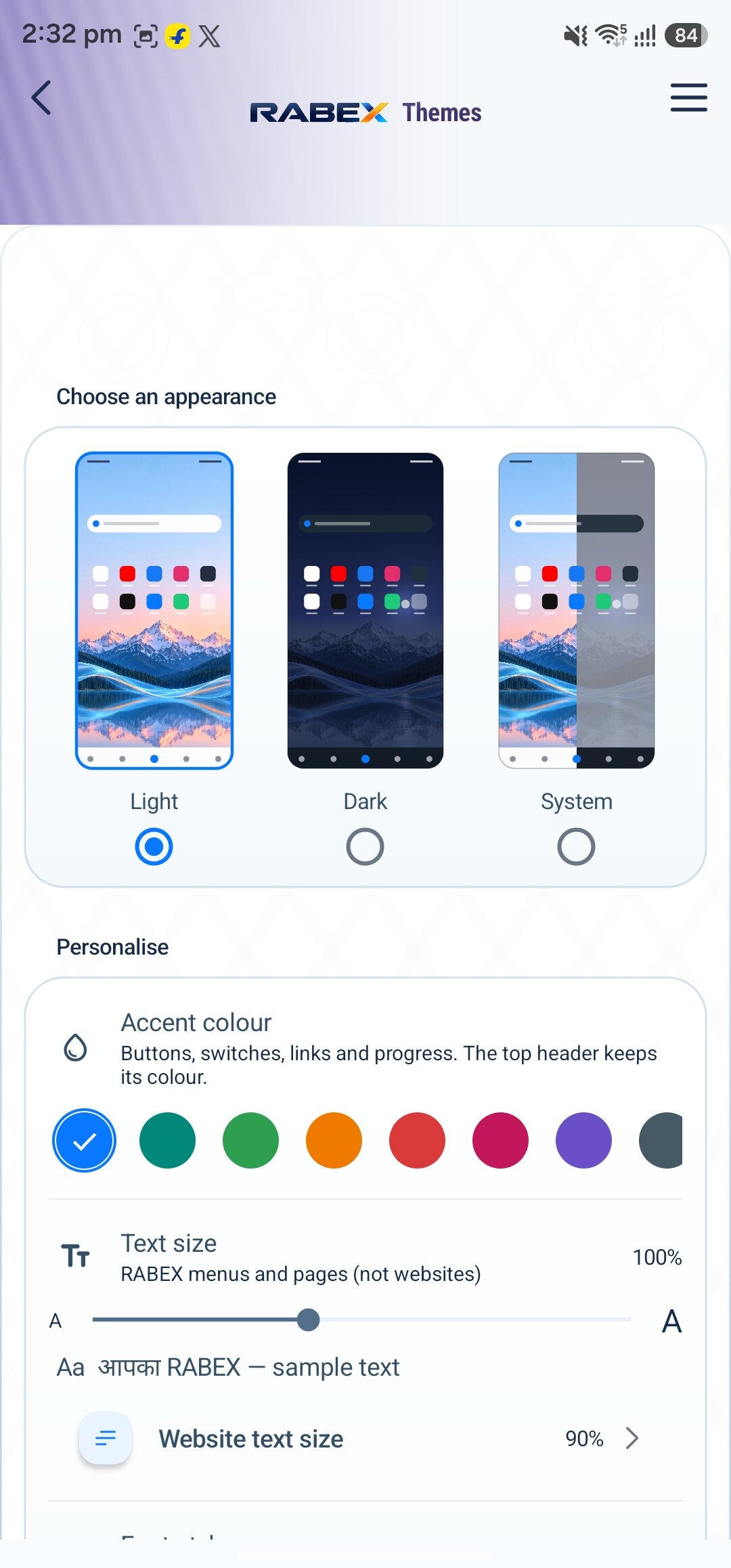
10 · Themes
Themes you can preview before you pick.
Light, Dark and System previews side by side
Accent colour and text size on the same sheet
11 · History
History that stays on your phone.
Title, time and link on every row
Shown with sample entries, not real history
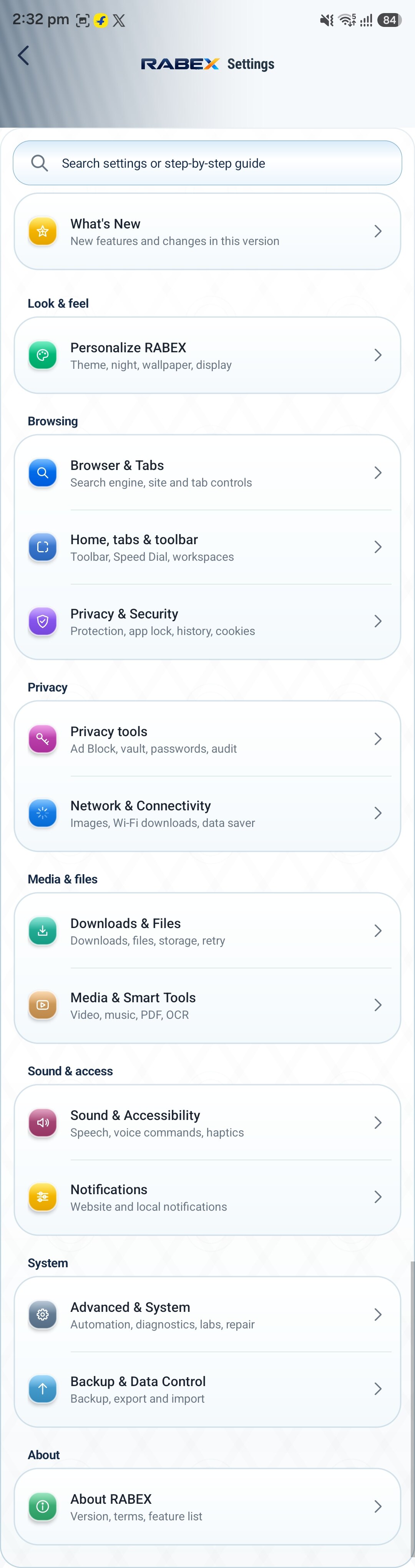
12 · Settings
Settings, end to end.
Every option in one scrolling list
Search across settings at the top
One continuous capture, auto-scrolled here
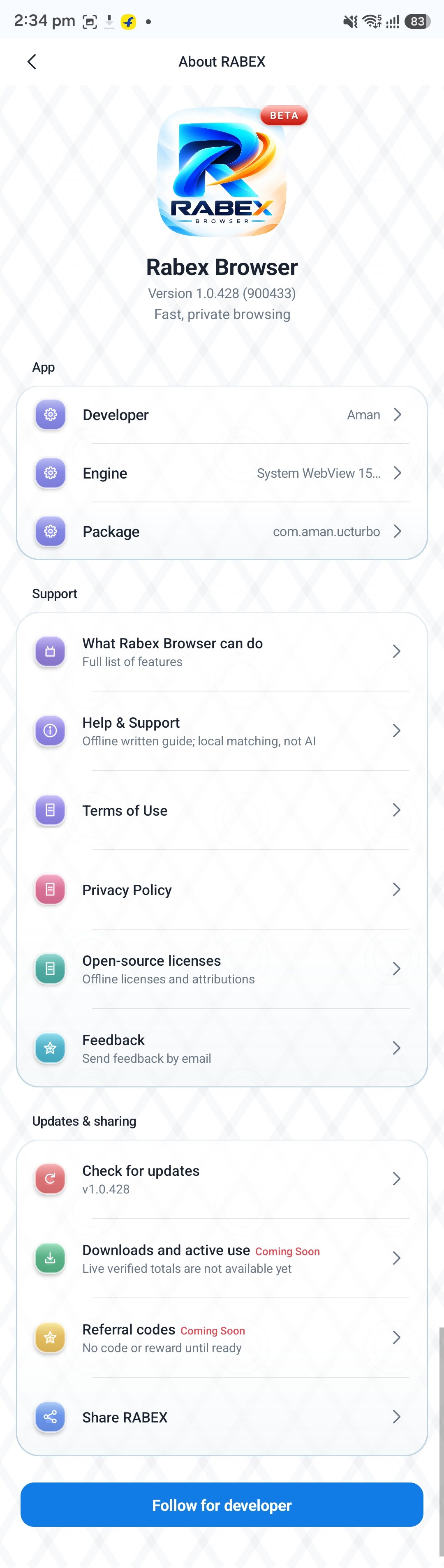
13 · About
About, straight up.
Version, credits and licenses in one scroll
One continuous capture, auto-scrolled here
And a few more.
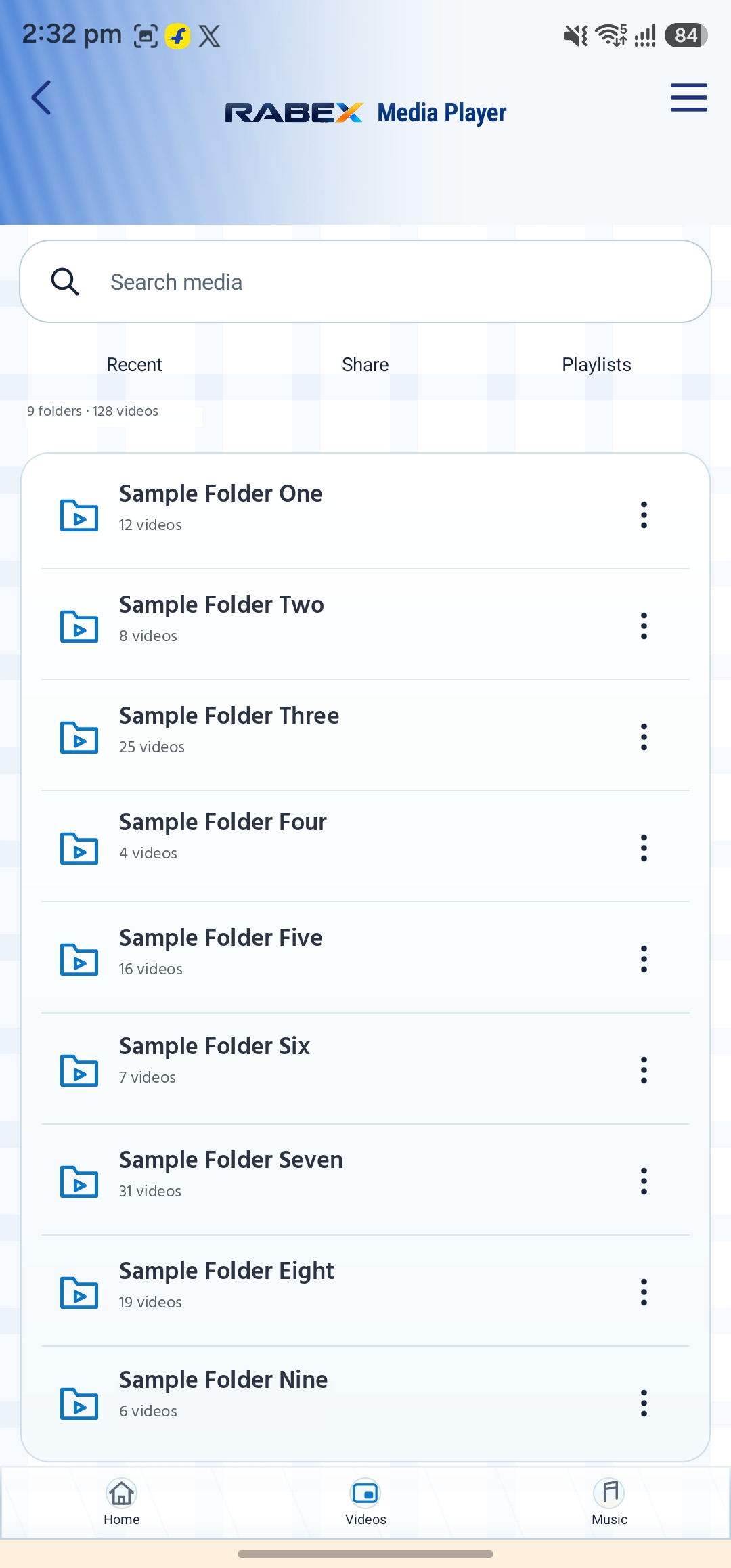
14 · Media foldersYour videos, grouped by folder
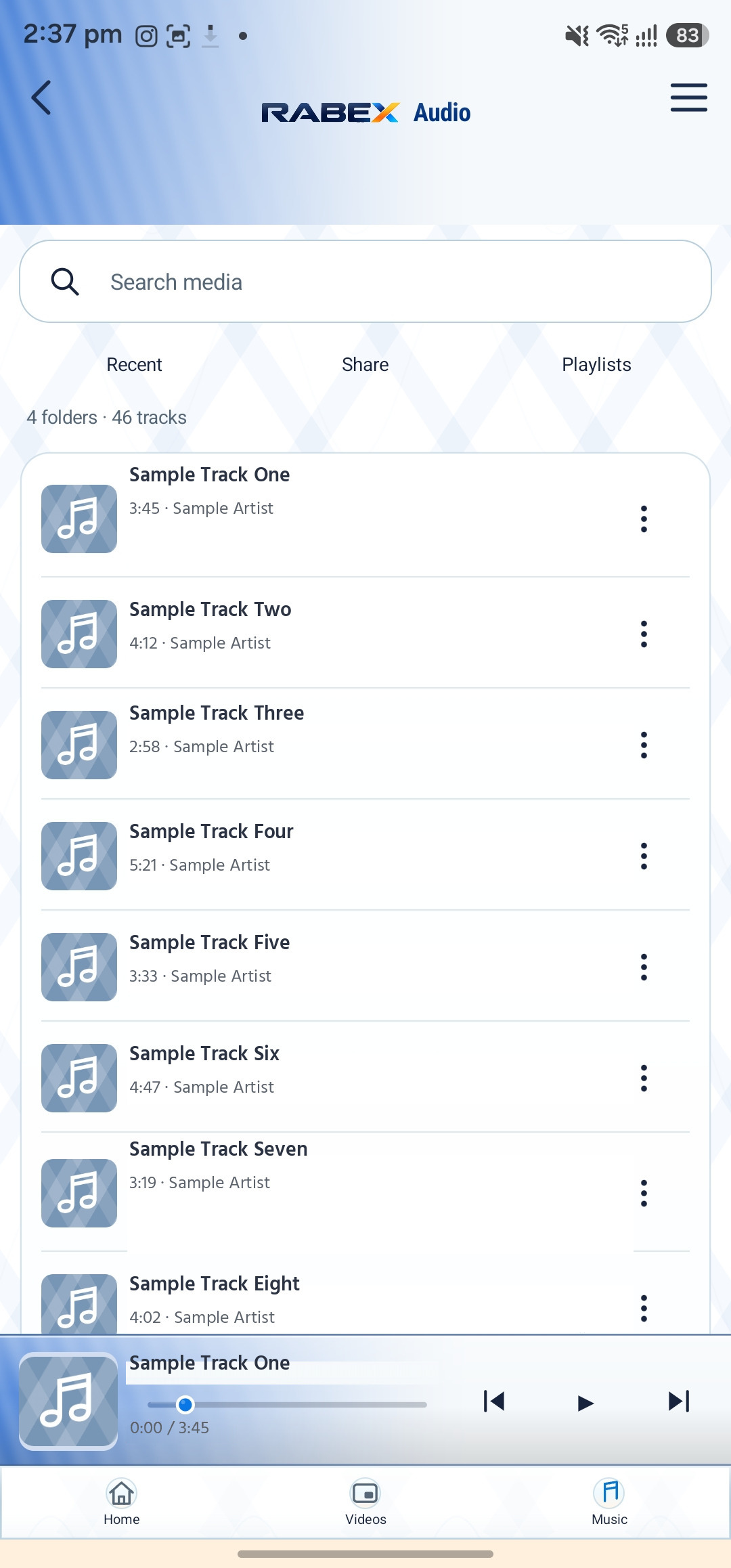
15 · Audio libraryMusic on your phone, listed
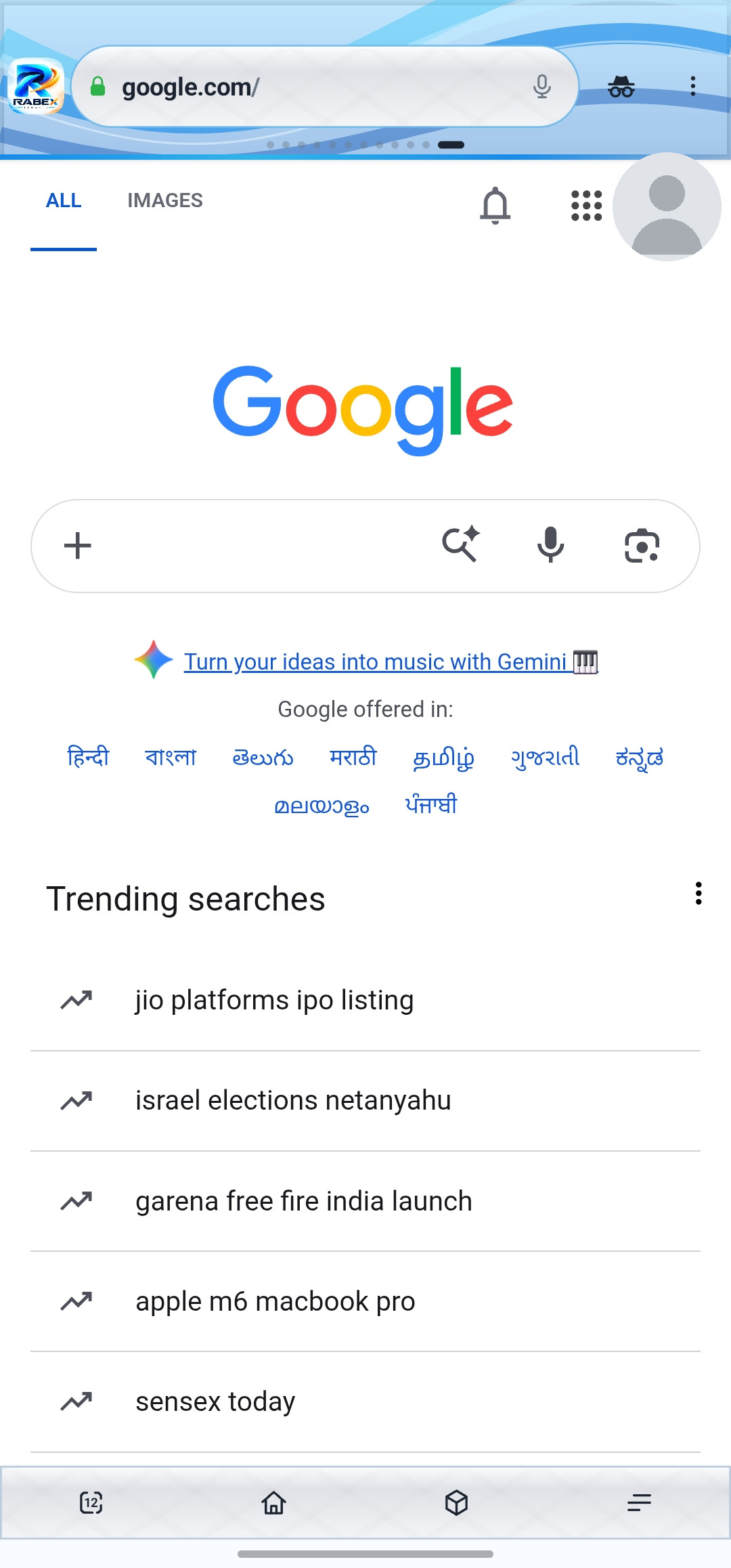
16 · The open webReal pages, rendered in RABEX
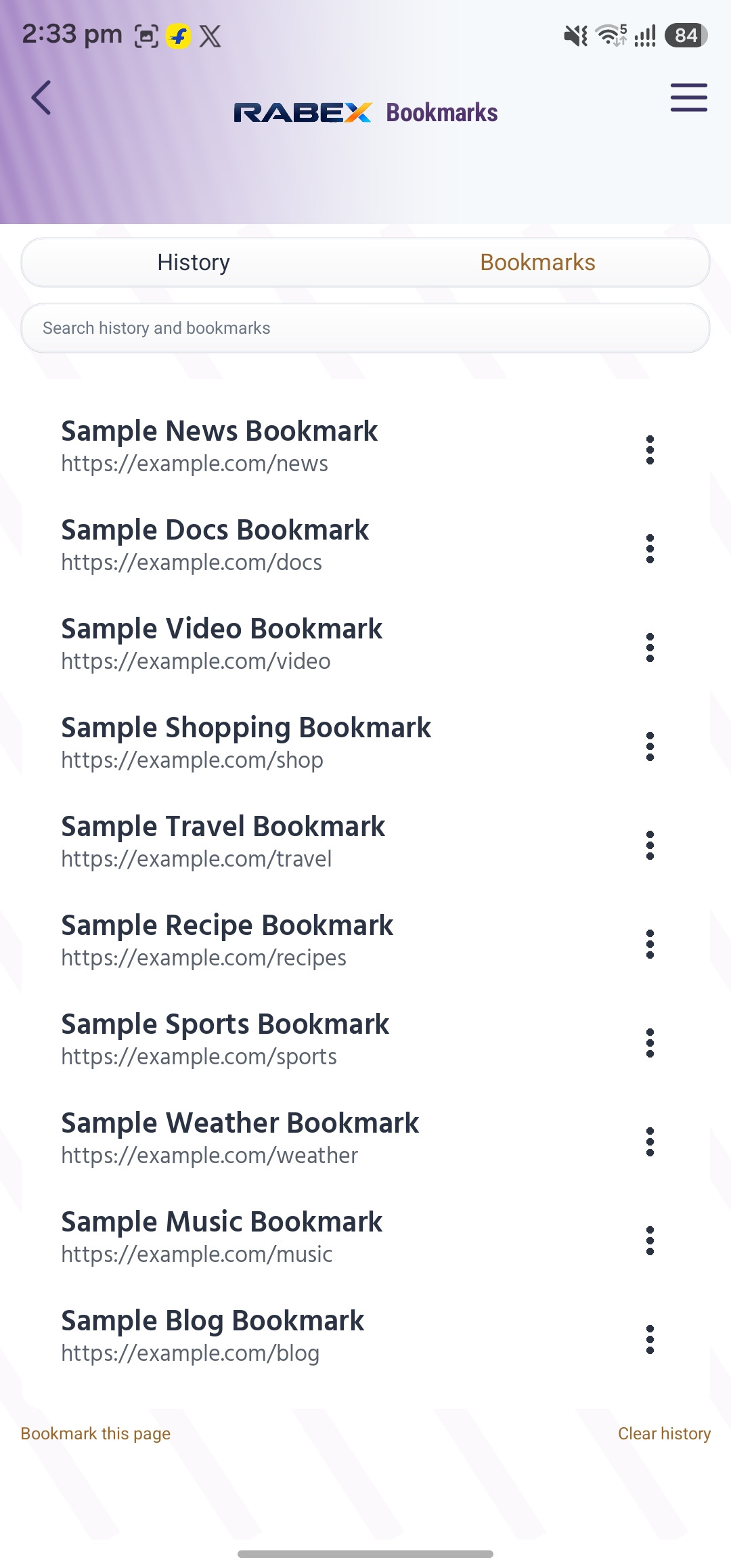
17 · BookmarksSaved pages, kept on your phone
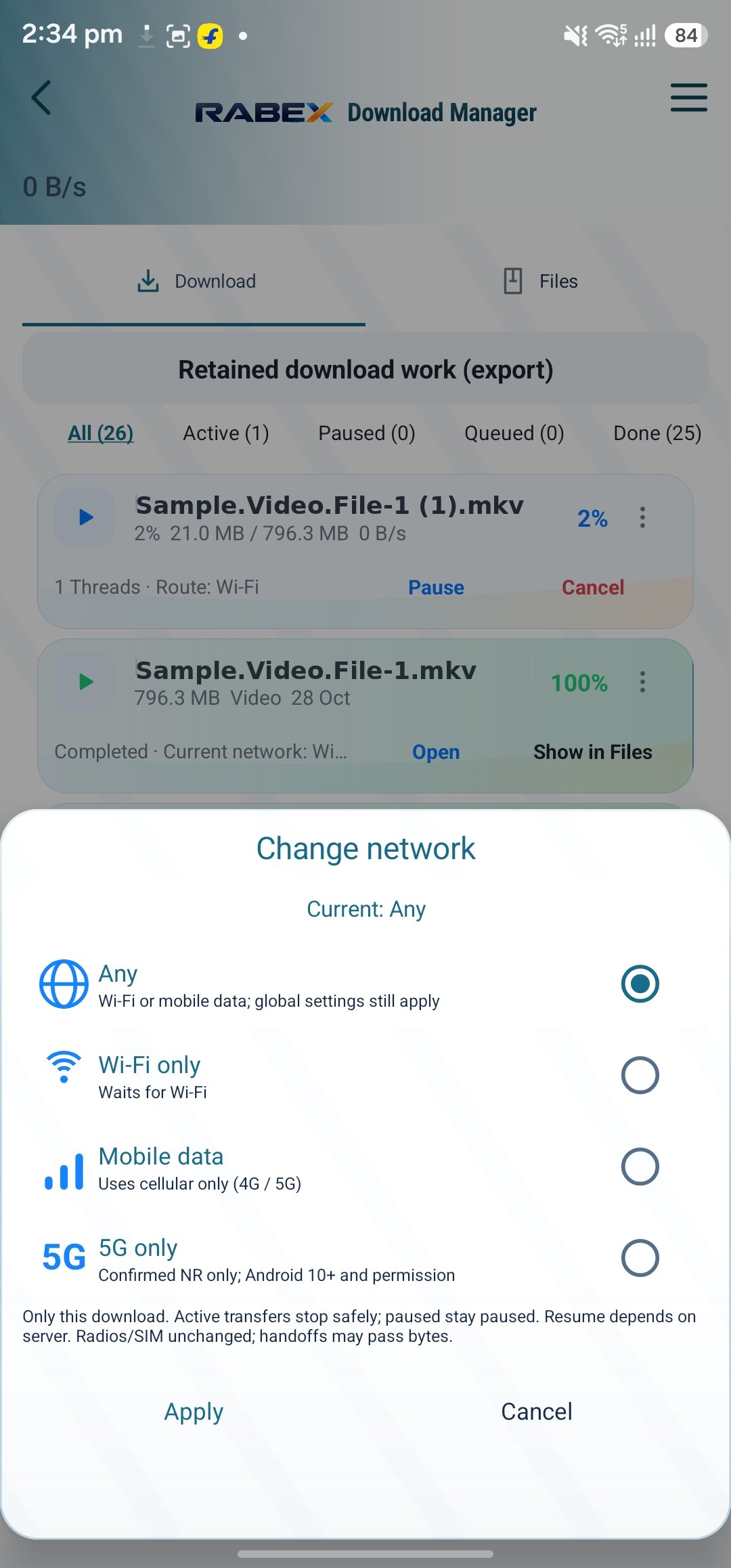
18 · Mid-download choicesChange network from the download sheet
How Ad Shield works
Less noise. More page.
Concept demo
RABEX Ad ShieldOFFON
◉ ◉ ◉example.page Concept
YOUR PAGE
A little room to browse.
☀
✦
ADLimited-time deal
×
✦
POP-UPYou won a prize!
×
✦
ADBuy now
×
✦
POP-UPAllow notifications?
×
✦
TRACKERFollowing this visit
×
✓Blocked hosts stay out
Shield off. Ads crowd the page.Shield on. Watch the noise disappear.
Illustration only. RABEX blocks known ad and tracker hosts. Results vary by site. Not a live blocking test.
Smart Download Control
Choose the network before the download chooses it for you.
Your download. Your network. Your rules.
5G dropped? Your download does not have to switch with it. Set network rules for every download, including Wi-Fi only, mobile data only, charging only and a supported 5G preference.
Wi-Fi only
Mobile data only
5G-only preference
Charging only
Private downloads
Queue and priority
Pause and resume
Network-aware waiting
The Android app does the real work. This is an interactive web demonstration of RABEX's native Download Manager, with simulated data. This conservative web simulation waits on LTE, 5G NSA or unknown radio state. The Android app can accept fresh confirmed NSA evidence; optional phone-state/location access may be needed. Device behavior remains unverified.
Choose Any network, Wi-Fi only, Mobile data only or a 5G-only preference. Add Only while charging or Private, then queue and prioritise. When the network does not match, RABEX pauses the download and waits, then resumes when it does.
Turn on JavaScript to try the interactive demo.
Try it
Play with the browser.
A small working browser. Type an address, open tabs, toggle Ad Shield and Reader mode. Simulated demo pages.
New RABEX app. This is the new RABEX app; it installs as its own app. Already using the old RABEX app? You get the new app through the old app's in-app update. Keep the old app until your Private Space photos and videos are back in the Gallery.
नया RABEX ऐप। यह नया RABEX ऐप है; यह अलग ऐप की तरह इंस्टॉल होता है। पुराना RABEX ऐप इस्तेमाल कर रहे हैं? नया ऐप आपको पुराने ऐप के अंदर के अपडेट से मिलेगा। Private Space की फ़ोटो और वीडियो Gallery में वापस आने तक पुराना ऐप रखें।
APK served from rabex.in (stored on GitHub releases). You may need to allow installs from your browser or file manager.
Windows 0.4.9, unsigned tester. This is a manual installer with no auto-update. It has not been accepted on a real Windows PC; install, upgrade, antivirus, DPI and stability checks remain pending. Windows may show an unknown-publisher warning. Do not bypass Windows or antivirus security warnings.
Official Windows download: linked GitHub release from rabex.in
Windows 64-bit (x64), NSIS installer
One offline EXE, 158,545,275 bytes.
SHA-256 of the installer: b2b32f6e1897df97ee9265ca1b48b40dd2d2170a87027309b99234d2f499fade
Download the setup file on your Windows PC.
Check the version and SHA-256 before opening the installer. Do not bypass security warnings.
Install after review. Back up your existing profile locally before an upgrade; native Windows data preservation is not yet verified.
This is the new RABEX app (package com.rabex.browser, versionCode 900459), with everything in 1.0.453. All future updates come only in this new app.
It installs as its own app next to the old RABEX app. Using the old app? You get the new app through the old app's in-app update. The old app's data (Private Space, bookmarks, settings, history) does not move; keep the old app until your Private Space photos and videos are back in the Gallery.
Private Space: photos and videos you hid can be restored to the Gallery again. Downloads: a busy server or one failed piece no longer stops the whole download; links that expire (GitHub, Drive) continue after a pause; a download stops safely before the phone runs out of space.
Automatic tests on a computer passed; checked on a phone before release.
Looking for the RABEX browser with a different spelling?
RABEX Browser is the Android web browser on rabex.in, also written as Rabex in. If you meant this browser when typing rabix, rabax, ravex, rebex, ravix or revex, use rabex.in to find the official download. These are spelling examples, not separate RABEX products.
What is RABEX?
RABEX Browser is an Android web browser with built-in privacy tools. It includes Ad Shield, Speed Dial, bookmarks, Incognito, voice search and My Tools: Password Manager, QR Code Generator, Media Player, Network Speed Test, Private Space and PDF.
Is RABEX free?
Yes. The Android app is free to download from this page.
Which devices does it run on?
Android 7.0 or newer. Windows 0.4.9 is available as an unsigned tester installer from the Download section. It has no auto-update and has not been accepted on a real Windows PC.
How do I install RABEX?
Download the APK from the Download section and open it. Android may ask you to allow installs from your browser. Get it from rabex.in only, and compare the SHA-256 shown next to the download.
How does RABEX handle my privacy?
Ordinary browsing/searches and user-invoked tools contact their service providers. Optional update checks contact rabex.in; speed tests contact Cloudflare. Servers see connecting IP information. Normal tabs can store local history; separate-profile Incognito is not anonymous or a secure disk wipe. See the privacy policy below for local crash records, retention, exports and service requests.
What does Ad Shield do?
It filters known ad and tracker hosts and hides empty ad boxes, with per-site controls. It does not block everything.
What is in the app?
Ad Shield, Speed Dial, bookmarks, Incognito, voice search, Reader mode and page options, and My Tools: Password Manager, QR Code Generator, Media Player, Network Speed Test, Private Space and PDF. Anti-redirect protection is coming soon.
What are Desktop site and Reader mode?
Both are page options in the menu. Desktop site asks websites for a 980 px wide layout and sends supported desktop browser hints; turning it off restores the mobile layout. Results vary by site and Android WebView version, and some sites ignore the request. Reader mode strips a page down to its main text so long articles are easier to read, where RABEX can find an article on the page.
How do I send feedback?
Use the form in the Feedback section above, or email [email protected] with your phone model, Android version and RABEX version. Tick the box (or say so in the email) if we may show your words on this page. We only show real feedback that the sender agreed to share.